
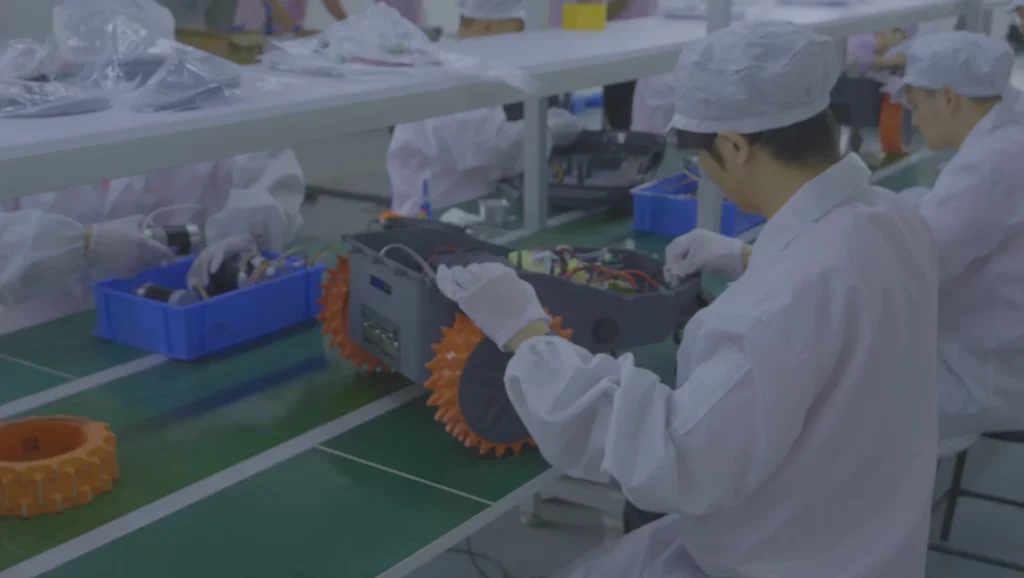








As winter arrives, lawns stop growing, and robotic lawn mowers enter a dormant period. Proper winter storage and BMS maintenance are essential. They help extend battery life and ensure smooth operation in spring. This guide covers pre-storage preparation, winter care, and spring activation tips for your robotic lawn mower battery.

Why Winter Maintenance for Robotic Lawn Mower Batteries and BMS Is Essential
Most robotic lawn mower batteries use lithium-ion technology. These batteries are susceptible to cold. Winter temperatures can temporarily reduce capacity and even cause permanent damage if battery management is neglected.
The mower’s BMS (Battery Management System) acts as the battery’s “brain.” It controls charging, discharging, and temperature. Cold weather increases stress on the BMS.
Ignoring winter maintenance may result in:
- Permanent battery capacity loss, shortening the runtime in spring
- BMS failure, leaving the battery unprotected
- Complete battery failure requiring replacement
Following proper winter care keeps both the robotic lawn mower battery and BMS in optimal condition.
Battery Storage Temperature Chart (For Winter Storage)
| Storage Temperature | Battery Performance Impact | BMS Behavior | Recommended for Winter Storage |
| -10°C / 14°F | Capacity drops 30–40% | Protection mode | ❌ Not recommended |
| 0°C / 32°F | Capacity drops 10–20% | Slow charge | ⚠ Acceptable but not ideal |
| 4–10°C / 40–50°F | Stable performance | Stable BMS | ✅ Ideal condition |
| 15–20°C / 59–68°F | Normal performance | Stable | ✔ Good storage condition |
| 25°C / >77°F | Faster aging | Heat stress | ❌ Avoid |
5 Steps to Prepare Your Robotic Lawn Mower Battery and BMS for Winter Storage
Proper pre-storage preparation protects the battery and BMS from cold damage.
- Proper pre-storage preparation protects the battery and BMS from cold damage.
Please remove the battery and inspect it for cracks, bulges, or leaks. Clean corrosion from terminals. Power on the mower to check BMS error codes. Fix all issues before storage.
- Clean the Battery and Contact Points
Dust, grass, and moisture can weaken connections between the battery and BMS. Wipe the battery and metal pins with a dry microfiber cloth. Clean the battery compartment with a vacuum or compressed air. Never let water touch the BMS or electrical parts.
- Charge the Battery to 50%-70% Before Winter.
Lithium-ion batteries degrade faster when stored fully charged or too low. The best storage level is 50%-70%.
If below 50%: recharge to 50%-70% using the original charger
If above 70%: run the mower briefly to reduce charge
Avoid dropping below 20%, which triggers BMS deep discharge protection
Do not store at 100% charge to minimize aging
Battery Charge Level vs Storage Time (Winter Self-Discharge) - Disconnect the Battery from the Robotic Lawn Mower
After charging, disconnect the battery from the mower and charger. Store it separately if possible. If it stays in the mower, ensure connections are loose to prevent slow discharge and BMS wear.
- Record the Battery Status
Take a photo of the battery charge and serial number. Record the storage date for tracking or warranty purposes.
3 Key Tips for Winter Storage of Robotic Lawn Mower Batteries and BMS
Proper battery storage and winter maintenance are crucial for protecting your robotic lawn mower.
1. Choose a Cool, Dry, and Temperature-Stable Storage Location
Store batteries in a stable, cool, dry area (4°C–10°C / 40°F–50°F). Avoid freezing garages, damp basements, direct sunlight, heat sources, or metal objects. This protects both the battery and BMS.
| Location | Temperature Range | Humidity | Recommended? |
| Garage (unheated) | -5°C to 10°C | Can be damp | ⚠ Acceptable with monitoring |
| Basement | 4–10°C | High humidity | ❌ Not ideal, moisture risk |
| Indoor shelf/cabinet | 4–10°C | Dry & stable | ✅ Best choice |
| Outdoor shed | 0–25°C | Varies | ❌ Avoid temperature swings |
2. Check the Robotic Lawn Mower Battery and BMS Monthly
Even during storage, lithium-ion batteries gradually discharge. Therefore, it’s crucial to check the robotic lawn mower’s battery level monthly. You can view the charge status via the mower’s display or mobile app.
If the mower’s charge falls below 40%, immediately recharge it to 50%-70% to prevent deep discharge and maintain proper BMS function.
| Battery Charge (%) | Storage Duration | Recommended Action |
| 100% | 1–2 weeks | ⚠ Too high, accelerates aging |
| 70% | 1–2 months | ✅ Safe for winter storage |
| 50% | 1–3 months | ✅ Ideal, maintains BMS stability |
| 20% | <1 month | ❌ Too low, triggers BMS protection |
| <10% | Any | ❌ Risk of permanent capacity loss |
Inspect the robotic mower battery visually for damage such as swelling or leakage.
Briefly power on the mower to check for any fault codes displayed by the BMS. Contact the manufacturer promptly if issues arise.
This ensures the robotic mower battery and BMS remain in optimal condition throughout winter, extending their service life.
3. Properly Store the Robotic Lawn Mower Itself
While the battery is crucial, the overall condition of the mower also impacts battery life. Thoroughly clean the mower before storage.
- Remove grass clippings, dust, and debris from the blades and undercarriage.
- Store the mower in a cool, dry location identical to the battery’s storage area.
- Cover the mower with a breathable cloth to prevent dust and moisture buildup.
Note: Do not cover the mower with plastic sheeting, as it traps moisture and accelerates battery and BMS degradation.
Following these tips will help your robotic mower’s battery and BMS survive winter safely and be ready for spring use.
5 Steps to Activate Robotic Lawn Mower Battery and BMS in Spring
As snow melts and lawns begin to grow, it’s time to activate your robot lawn mower battery and BMS to prepare for the new mowing season. Follow these 5 steps for a smooth restart.
1. Re-Inspect the Robotic Lawn Mower Battery
First, check the mower battery for cracks, bulges, or corrosion. If in good condition, wipe the terminals with a dry cloth to ensure proper contact.
2. Reconnect the Battery to the Robotic Lawn Mower
Reinstall the battery into the robotic mower according to the manual. Ensure connections are secure to prevent loose fittings from interfering with BMS functionality.
3. Slowly Charge the Battery to Full Capacity
Place the battery back into the charging dock and slowly charge it to 100%. The mower’s BMS will automatically regulate the charging process to prevent overheating. Avoid using fast charging for the first spring charge to preserve battery lifespan.
4. Calibrate the Mower’s BMS
After a full charge, run the mower until the battery level drops to 20%-30%, then recharge it to 100%. This allows the BMS to accurately recognize full charge and low battery states, ensuring a more precise battery level display.
5. Test Run the Robotic Lawn Mower
Run the mower for 5-10 minutes to confirm that the machine and BMS are functioning normally. Check for any fault codes and observe whether the battery runtime is normal.
FAQ
Do I need to update my robotic lawn mower’s firmware or software before winter storage?
Yes, it’s best to update the mower’s firmware or software before winter storage. After updating, remember to record or reset the mowing schedule. This ensures the mower and BMS function properly when activated in spring, preventing navigation or scheduling errors.
How often should I check the robotic lawn mower battery during winter storage?
We recommend checking the mower’s battery charge level monthly. Lithium-ion robotic lawn mower batteries experience slow self-discharge during winter. If the charge drops below 40%, promptly recharge it to 50%-70%. This maintains BMS health and prevents deep discharge and battery degradation.
Can the robotic lawn mower battery be stored fully charged (100%) throughout winter?
No. Storing a fully charged (100%) robotic lawn mower battery in cold temperatures accelerates battery aging. The optimal storage level is 50%-70%, where both the battery and BMS function best. This helps extend battery life and ensures smooth spring activation.
What should I do if the robotic lawn mower’s BMS displays an error code during winter storage?
First, consult the robotic lawn mower manual to confirm the error’s meaning. For simple issues like loose connections, you can resolve them yourself. If unable to address the problem, contact the manufacturer immediately. Unresolved BMS faults may worsen in cold temperatures and potentially damage the battery.
Must the robotic lawn mower battery be cleaned before winter storage?
Yes, it must be cleaned. Dust and grass clippings can clog battery contacts, affecting connections between the battery, mower, and BMS. Wipe the battery and contacts with a dry cloth before storage to ensure safe winter storage and extend battery life.
How do I calibrate the robotic lawn mower’s BMS in spring?
The process is straightforward. First, fully charge the robotic lawn mower battery (100%). Then, operate the mower until the battery level drops to 20%-30%, and recharge it to 100%. This allows the BMS to accurately recognize full and low charge states, ensuring more precise battery level display and smooth operation of the mower in spring.
Does the robotic lawn mower’s charging dock require separate maintenance during storage?
Yes. While the battery is crucial, the charging dock is equally important. Before storage, disconnect the power source and place it in a dry, frost-free environment. Wipe the charging contacts with a dry cloth to prevent metal corrosion, ensuring a stable battery-to-dock connection in spring.
If the robotic lawn mower battery is non-removable, can I still store it safely for winter?
Yes, but pay close attention to the storage environment. Store the entire unit indoors in a dry, temperature-stable location. Avoid charging or discharging in extremely cold conditions (below freezing) to protect both the mower’s battery and BMS.
After winter storage, the lawn mower battery won’t start—is the BMS malfunctioning?
Not necessarily, but it may be related to the lawn mower’s BMS protection mode. During winter storage, if the battery charge is too low or the ambient temperature is too cold, the BMS may enter low-power or protective mode, preventing the battery from functioning normally during startup. In this case, first check the battery charge level and connections. If necessary, follow the manual instructions or contact the manufacturer to wake up the BMS.
Contact Us Contact Altverse today to discuss your OEM or ODM robotic lawn mower project and get tailored solutions for your brand.

Expert in robotics, passionate about exploring a wide range of robots, robots that make work more efficient, exploring robots, including mobile robots, lawnmower robots.


